Login page
MAX
MAX
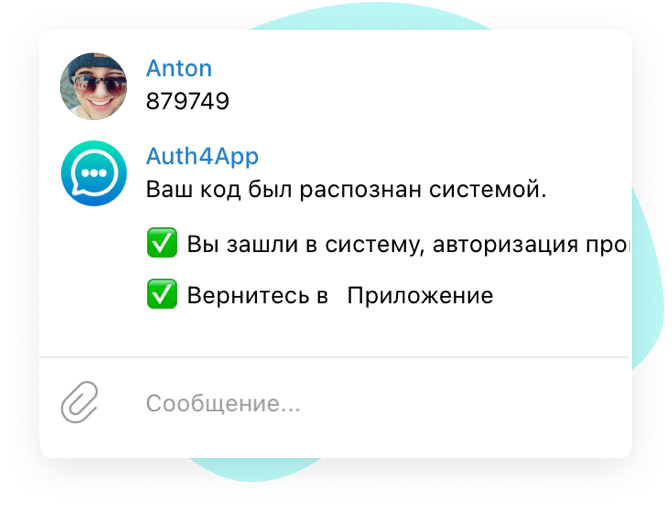
Send the code to the chatbot

Log in via MAX instead of SMS

The code on the login page is a confirmation in the MAX chatbot. No SMS, no operators, only payment for a successful login.

Faster entry Lower costs A familiar channel

Why businesses choose to sign in via MAX instead of SMS

The user sees the code on the login page, goes to MAX and sends it to the chatbot — without waiting for an SMS or unnecessary steps.

Log in via MAX in seconds

The user does not need to wait for an SMS: the code appears on the login page, and confirmation takes a few seconds in the MAX chatbot.

Savings compared to SMS

Instead of paying for each SMS, you transfer your MAX login to a predictable model that pays only for a successful result.

A familiar scenario for customers

If the audience is already using MAX, logging in through this channel is natural and reduces friction during the authorization step.
MAX benefits

What does MAX login give instead of SMS

MAX helps you speed up login, reduce authorization costs, and get rid of common SMS problems: delays, roaming, and code re-uploads.

Without depending on SMS

Login via MAX does not depend on SMS and mobile operators: the code is shown on the screen, and the user confirms it in the chatbot.

Higher login conversion

When the code is already on the screen and the confirmation is sent via the MAX chatbot, it is easier for the user to complete the login without repeated SMS requests.

Transparent cost

Switching to MAX instead of SMS helps you keep your budget under control and not overpay for unsuccessful shipments.

Modern user experience

Logging in via MAX looks clearer for the client than a classic SMS chain with delays and repeated codes.

How MAX login works

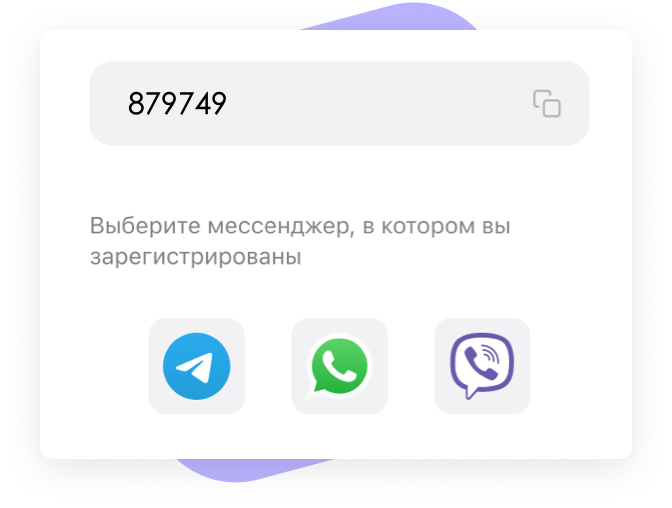
Instead of SMS, the user receives a code on the login page, goes to MAX and sends it to the chatbot.

01

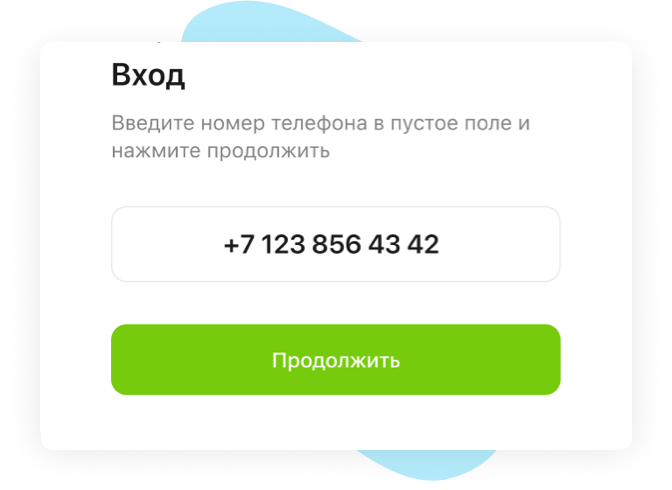
User enters a phone number

On the login page, the client specifies a phone number, after which the system starts the authorization script via MAX instead of SMS.

02

The code on the page and the MAX selection

After entering the phone number, the user receives a unique 6-digit code on the login page and selects the MAX in which they are registered.

03

Sending code to a chatbot

The user goes to MAX and sends the received code to the chatbot. After that, he can return to the site or app, where he will already be logged in.

We work all over the world

Authentication in your customers' language

Messenger messages are automatically sent in the language of the user's country. We support more than 50 languages — your service is ready to be launched anywhere in the world.

English Русский Español Français Deutsch Português Italiano Nederlands العربية 中文 日本語 한국어 हिन्दी Türkçe Polski Українська Қазақша English Русский Español Français Deutsch Português Italiano Nederlands العربية 中文 日本語 한국어 हिन्दी Türkçe Polski Українська Қазақша
Беларуская Български Hrvatski Čeština Slovenčina Slovenščina Српски Bosanski Македонски Lietuvių Latviešu Eesti Svenska Norsk Dansk Íslenska Føroyskt Беларуская Български Hrvatski Čeština Slovenčina Slovenščina Српски Bosanski Македонски Lietuvių Latviešu Eesti Svenska Norsk Dansk Íslenska Føroyskt
Suomi Română Català Afrikaans ไทย Tiếng Việt Bahasa Indonesia Bahasa Melayu Tagalog தமிழ் አማርኛ Azərbaycanca සිංහල বাংলা اردو فارسی Suomi Română Català Afrikaans ไทย Tiếng Việt Bahasa Indonesia Bahasa Melayu Tagalog தமிழ் አማርኛ Azərbaycanca සිංහල বাংলা اردو فارسی

The language is automatically determined by phone number — the user receives clear instructions without additional settings on your part.

Cost comparison

How much does it cost to sign in via MAX instead of SMS

At 10,000 inputs, the difference between SMS and authorization via MAX is already visible in the first month.

If you leave an SMS

10,000 SMS per month

Average price per SMS $0.04 - $0.08
Budget for 10,000 shipments $390 - $770
Expenses per month
$390 - $770

You pay for every SMS sent, even if the code didn't arrive or the user requested it again.

If you switch to MAX

10,000 authorizations

They are paid only Successful logins
The cost of 10,000 entries $130
Expenses per month
$130

If a user doesn't sign in via MAX, you don't pay for failed authorization.

Savings on the same amount

67-83%

Logging in via MAX instead of SMS helps to quickly reduce the cost of authorization and make the budget predictable.

Entry cost via MAX

You can start for free and then pay only for actually successful authorizations.

Successful authorization

$0.01 / authorization

  • Pay only for successful logins via MAX
  • No costs for unsuccessful SMS messages
  • One service for the site and app
  • Quick login for users
  • Scaling without increasing the SMS budget

Start logging in via MAX instead of SMS

If you want a faster and more profitable login scenario, start with a free test and see how MAX authorization works in your product.